
Choosing the Right Encryption Key Model in Microsoft 365
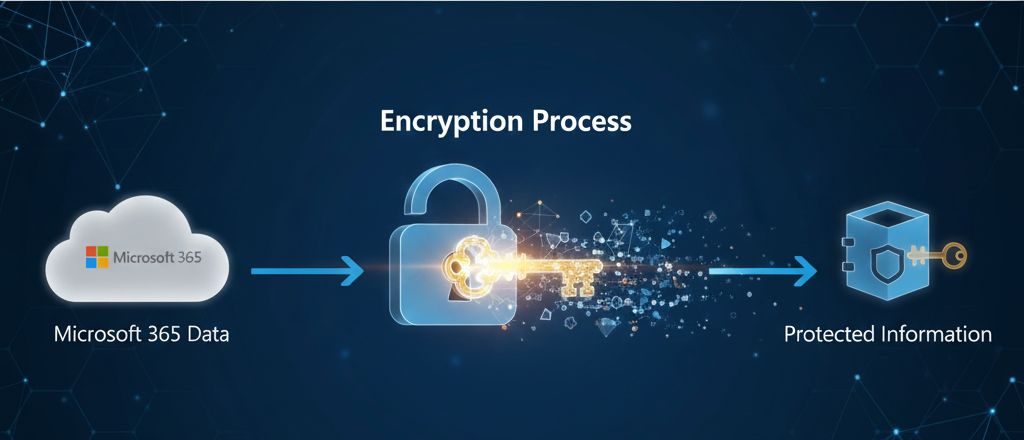
🔐 Taking Control: Choosing the Right Encryption Key Management for Your Microsoft 365 Data
In today’s cloud-first world, protecting your organization’s data is non-negotiable. For Microsoft 365 customers, a key part of that protection is how your encryption keys are managed. Microsoft offers multiple models for Rights Management Services (RMS), each balancing control, compliance, and cloud productivity differently.
Choosing the wrong model can unintentionally break core features like Copilot, Search, eDiscovery, Anti-Malware Scanning, and Co-Authoring.
Here’s a clear breakdown to help you choose wisely. —
🔑 The Four Key Management Models in Microsoft 365
These models determine who controls your tenant’s root encryption key and how Microsoft 365 handles content decryption for cloud services.
1. Microsoft-Managed Key (MMK) – The Default & Most Functional
What it is
Microsoft generates, stores, and manages the tenant’s root key in Azure.
How it works
- When a file or email is protected, Azure RMS encrypts it automatically.
- Microsoft holds the tenant root key and uses it to protect the content keys.
- Cloud services like Copilot, Search, eDiscovery, anti-malware scanning, and co-authoring securely request machine-only, audited decryption when needed.
- Microsoft never exposes plaintext to human operators.
Control vs. Functionality
- Control: Minimal customer control
- Functionality: Maximum cloud intelligence and productivity
Service Impact
Everything works:
✔ Copilot
✔ Search / Indexing
✔ eDiscovery
✔ Delve
✔ Anti-Malware
✔ Co-authoring
Best for
✔ General workloads
✔ Organizations without strict regulatory key-control requirements
2. Bring Your Own Key (BYOK) – More Control, Same Cloud Power
What it is
You create your key (typically in an on-premises HSM) and import it into Azure Key Vault Managed HSM. Microsoft uses it but cannot extract it.
How it works
- You generate a root key and securely upload it into Azure Key Vault.
- Microsoft 365 uses your key for all RMS operations but never sees the key in plaintext.
- When services like Copilot or Search need to decrypt content, they request just-in-time key operations from Key Vault.
- You control rotation, revocation, and logging of all key operations.
Control vs. Functionality
- Control: Customer controls the key lifecycle
- Functionality: Full Microsoft 365 cloud functionality preserved
Service Impact
Everything works exactly as with MMK:
✔ Copilot
✔ Search / Indexing
✔ eDiscovery
✔ Anti-Malware
✔ Co-authoring
Best for
✔ Regulated industries
✔ Organizations needing more control without sacrificing cloud intelligence
3. Double Key Encryption (DKE) – Maximum Privacy, Reduced Cloud Capability
What it is
Data is encrypted twice — one key in Azure, one that you keep on-premises. Both keys are required to decrypt.
How it works
- Content is encrypted first with Microsoft’s key, then with your on-prem key.
- Microsoft can decrypt its layer but cannot decrypt yours unless your key service allows it.
- If your key server is offline or denies access, content becomes undecryptable, even for Microsoft.
- Cloud services cannot index or process DKE content because they lack access to your key.
Control vs. Functionality
- Control: Extremely high — decryption depends on your key availability
- Functionality: Limited — cloud cannot inspect, scan, or process encrypted content
Service Impact
DKE content cannot be processed, so these features break:
❌ Copilot
❌ Search / Indexing
❌ eDiscovery
❌ Anti-malware scanning
❌ Co-authoring
Best for
✔ Extremely sensitive data sets
✔ Small volumes of classified or high-security content
4. Hold Your Own Key (HYOK) – Full Sovereignty, Zero Cloud Intelligence
What it is
Encryption keys live entirely on-premises using AD RMS or an on-premises HSM. Microsoft never receives or accesses the key.
How it works
- Encryption and decryption occur locally using your on-prem RMS infrastructure.
- Microsoft 365 cloud receives only the encrypted content, with no means to decrypt it.
- Because RMS operations cannot occur in the cloud, Microsoft services cannot index, scan, classify, or analyze HYOK-protected data.
Control vs. Functionality
- Control: Maximum — full ownership and sovereignty
- Functionality: Near zero for cloud-based intelligence
Service Impact
The same limitations as DKE:
❌ Copilot
❌ Search
❌ eDiscovery
❌ Co-authoring
❌ Anti-malware scanning
Best for
✔ National security workloads
✔ Restricted or classified data
✔ Very limited, highly sensitive datasets
🎯 Productivity Impact Summary
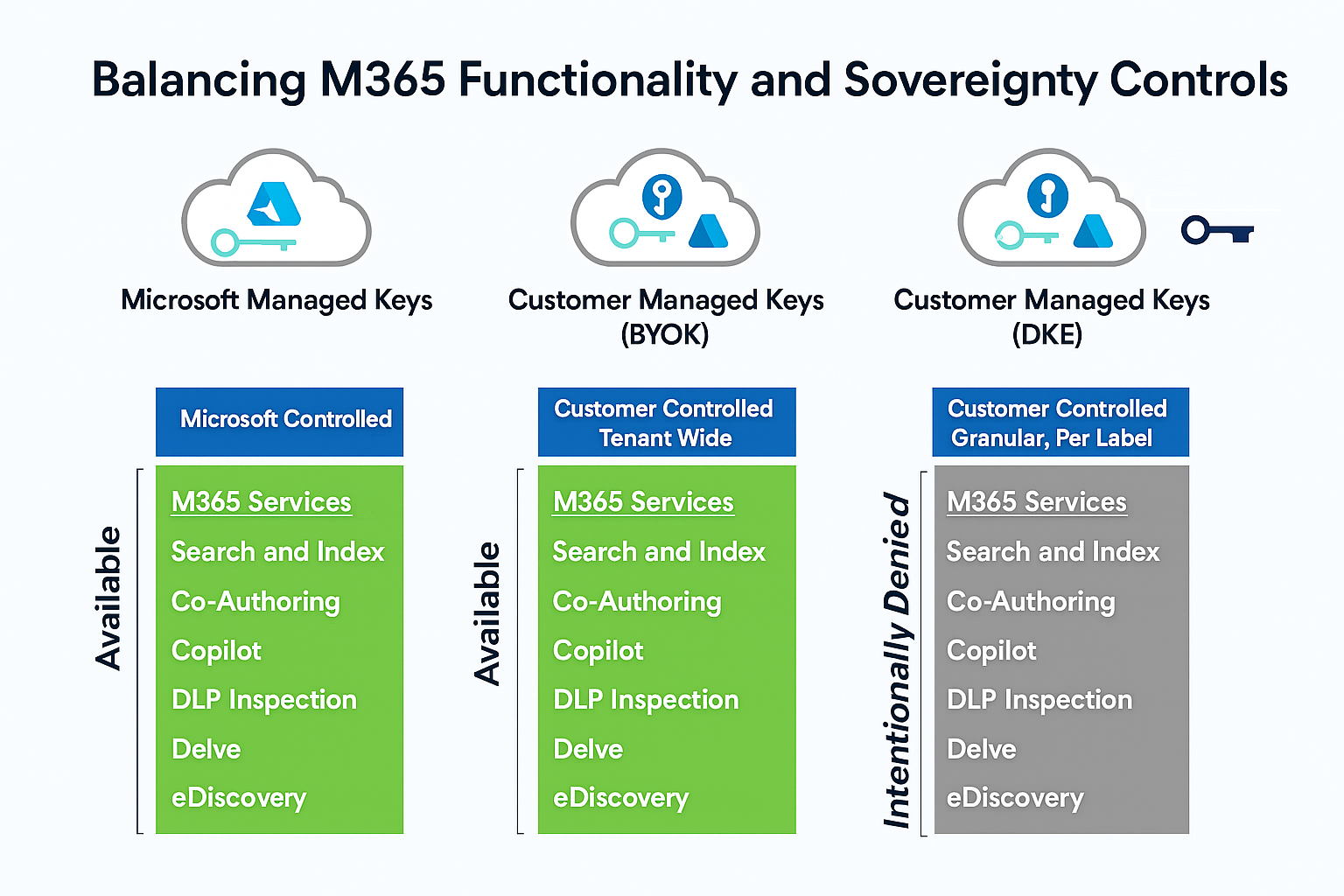
✅ Final Recommendation
For 99% of Microsoft 365 data, choose:
✔ Microsoft-Managed Keys (MMK) — Best functionality
✔ Bring Your Own Key (BYOK) — Best balance of control + cloud intelligence
Use DKE and HYOK only for exceptionally sensitive content where functionality can be sacrificed for complete isolation.
Written on December 8, 2025